
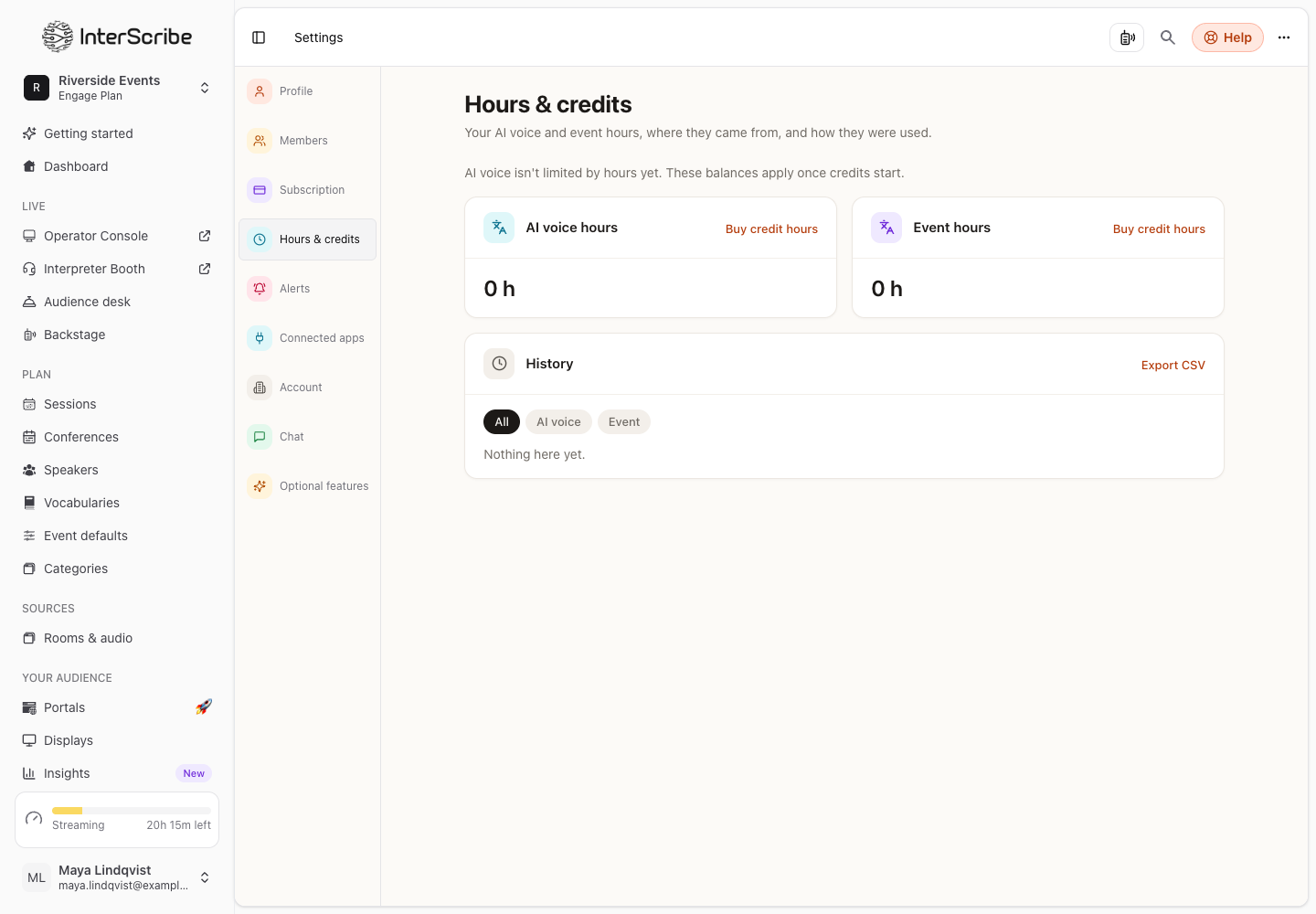
An AI voice uses AI voice hours only while at least one listener hears it. Hours & credits shows your balance, where your hours came from and how each session used them.
See your balance
Go to Settings › Hours & credits.
- AI voice hours and Event hours show your balance, or Unlimited. Each grant shows when it expires, or Never expires.
- History lists every change: Added, Used, Expired, Adjusted, and more. Filter by AI voice or Event, and Export CSV.
- Each grant says where it came from: Plan allowance, Purchased, Gift, Adjustment or Carried over.
- Open a session in the history for its Session usage: AI voice hours per language.
If the page says AI voice isn't limited by hours yet. These balances apply once credits start., voices are not limited by your balance yet.
Plan a session's voice hours
In the session's settings, the voice options show Voice hours for this session: the Likely use, based on your recent sessions, and the Worst case (every language, the whole session). The page tells you whether your balance covers it: Covered, even in the worst case, Covered at likely use or May run short.
Buy hours
- STEP 1Open Buy hoursOn Hours & credits, select Buy credit hours.
- STEP 2Choose how manyPick a pack, or Custom hours in whole hours from 1 to 1,000. Tax may be added at checkout.
- STEP 3PaySelect Pay with Stripe. Your hours appear within a minute, and Stripe emails your receipt.
Hours you buy never expire. Extra event hours are for the Elevate plan. If you cannot buy hours yourself, the session's settings offer Ask the owner to add hours, and we email your account owner.
When AI voice hours run out
This applies once credits start, that is, when the page no longer says AI voice isn't limited by hours yet.
Voices stop 15 minutes after your hours run out; captions continue. During those 15 minutes, the Console says AI voice hours ran out. Voices stop in a countdown. When they stop, it says AI voice is off for this session. Captions continue. Buying hours turns voices back on at once.
Once credits start, we also email you when hours run low, when they run out, when voices stop and when they are back on.