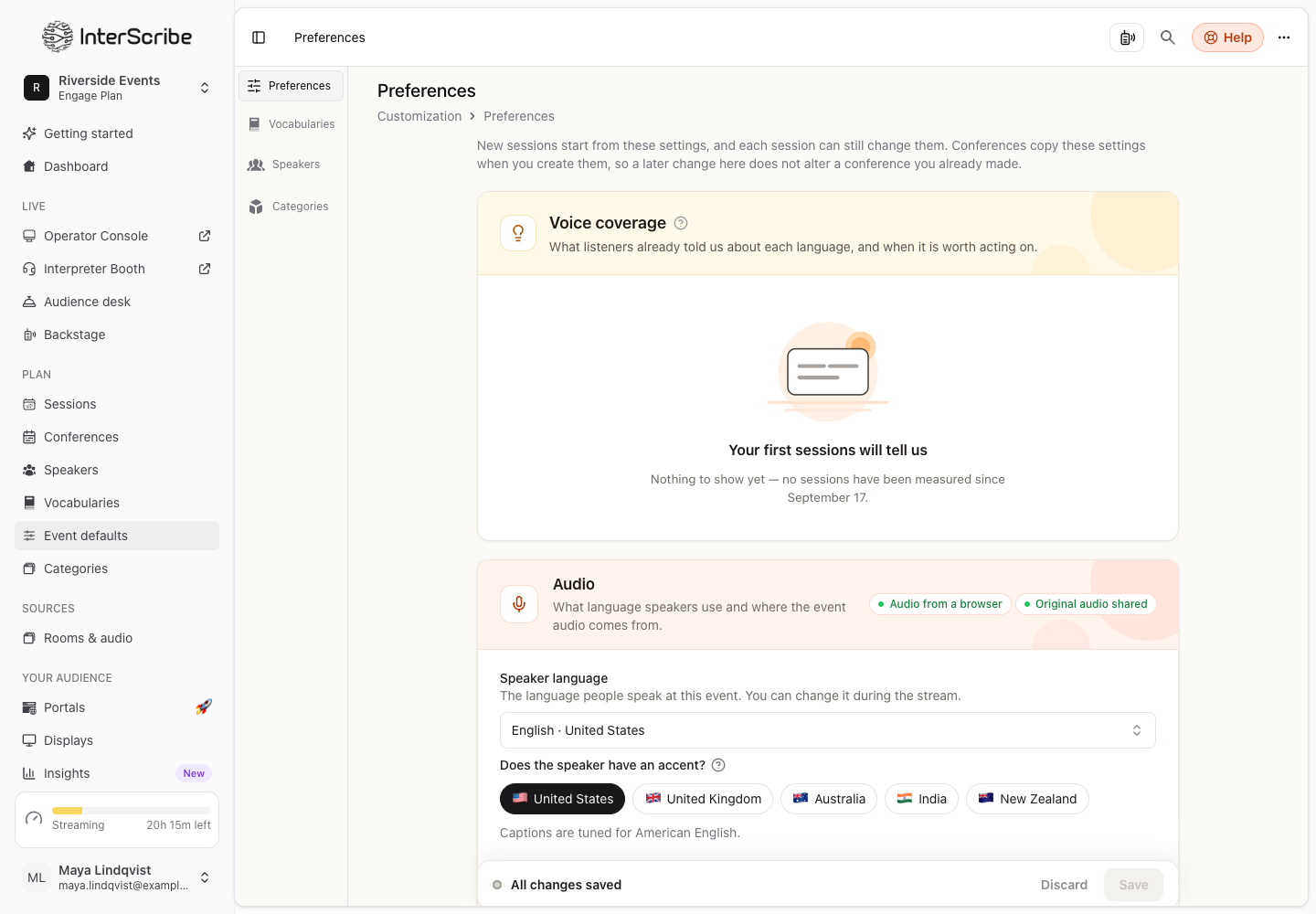
You set most choices once. A new session starts from settings you already made, and each session can still change them.
Inherited settings · DisponívelWhere a session starts from
- STEP 1Event defaults
Event defaults, in the sidebar, are your workspace's starting point. New sessions start from these settings, and each session can still change them.
- STEP 2The conference
A conference copies your Event defaults when you create it. After that, changes in Event defaults do not alter a conference you already made, and changes on the conference's Settings tab apply only to that conference. Its sessions start from the conference's settings.
- STEP 3The session
The session form shows where it starts from: Starting from your Event Defaults. or the conference's settings. Anything you change on the session applies to that session only.
Apply conference changes to upcoming sessions
When you save changes on a conference's Settings tab and it has upcoming sessions, InterScribe asks Apply to upcoming sessions? Upcoming means not live and not ended. The dialog lists the settings you changed.
- Select Apply to upcoming sessions to give them the new values.
- Select Not now and they keep their own values.
A session in a room keeps its room's own AV channel. The conference's AV channel only goes to sessions without a room.
What you can set in Event defaults
The same choices as the session form, among them: the speaker language and audio source, portals, vocabulary and event type, human interpreted languages and AI voices, the summary template, chat, Q&A and polls, the caption delay, recording and replays, Auto-start and Detect songs.