
Browser Streamer Dashboard
Fastest path for pilots and smaller sessions. Open Streamer, choose mic, go live.
Best for quick launches and live operators
Platform Walkthrough
Explore the full journey from live setup to attendee experience, so your team can evaluate fit and launch with confidence.
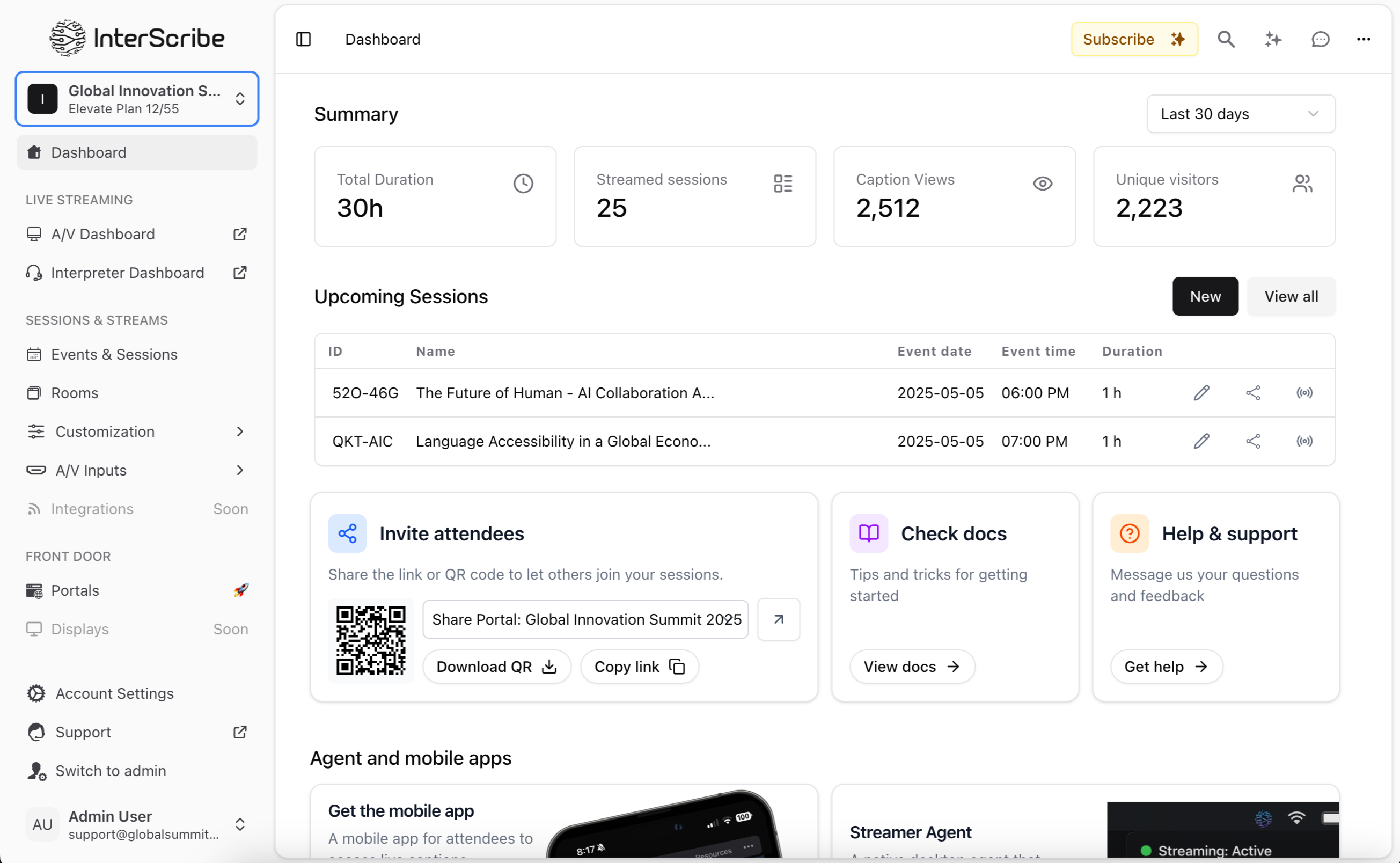
Live event control center
Track sessions, languages, and stream health from one place.
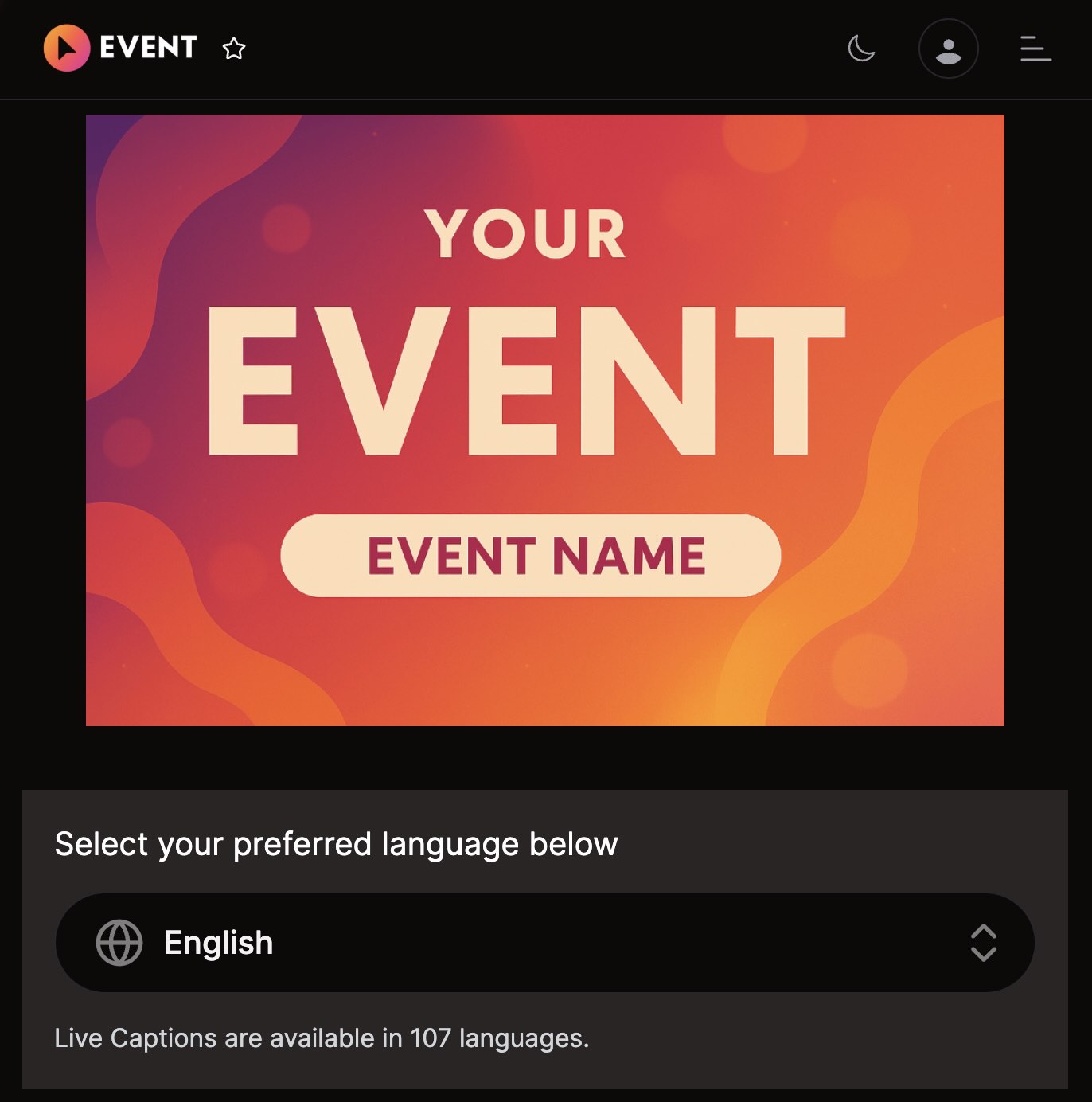
Accessible attendee experience
Attendees join quickly, choose their language, and follow in real time.
Operational repeatability
Reuse the same playbook across recurring services, classes, and events.
Cómo funciona
Lanza tu evento
Configura los detalles de tu evento, selecciona el idioma del orador y genera códigos QR o enlaces para compartir con los asistentes en el lugar o en línea.
Llega a cada asistente
Los asistentes escanean o hacen clic para unirse al instante usando sus propios dispositivos, ya sea en persona o de forma remota con video y subtítulos.
Entrega cada palabra, en todas partes
Los asistentes conectan auriculares para escuchar audio traducido en vivo o leer subtítulos en tiempo real. Totalmente accesible, totalmente en vivo.
No se requiere app para unirse. Escanea o haz clic para conectarte al instante.
Para una experiencia aún más fluida, hay apps móviles disponibles en iOS y Android.
Pruébalo en tu dispositivo
Todo lo que necesitas para gestionar eventos multilingües en tiempo real al alcance de tu mano, en un panel potente e intuitivo.
Supervisa subtítulos, traducciones, intérpretes y participación — en vivo, desde una sola vista intuitiva.
Agrega o ajusta canales de idioma al instante. Asigna intérpretes IA o humanos con solo un clic.
Genera resúmenes multilingües impulsados por IA y ofrece repeticiones bajo demanda para una participación duradera.
Monitorea reacciones y métricas de participación en todos los idiomas en tiempo real.
Traducción impulsada por IA
Interpretación humana
Destaca lo más importante, traducciones en vivo, sesiones subtituladas y recursos valiosos, todo en un solo lugar bellamente organizado para elevar la participación y la accesibilidad.
If the platform fit looks right, use the next sections to pick your connection setup, prepare your team, and launch smoothly.
Pick the setup that matches your environment today. Start simple, then scale into advanced AV integrations as your program grows.
Browser Streamer Dashboard
Fastest path for pilots and smaller sessions. Open Streamer, choose mic, go live.
Best for quick launches and live operators
Desktop Agent (Windows, macOS, Linux)
Best for recurring production workflows with stable low-latency ingest.
Best for reliability and always-on setups
Mobile / Web Agent
Great for field teams, backup capture, or mobile-first operations.
Best for mobile teams and temporary operators
Professional AV Ingress
For OBS, vMix, and encoder pipelines using RTMP, WHIP, or SRT.
Best for studios, hybrid events, and broadcast AV
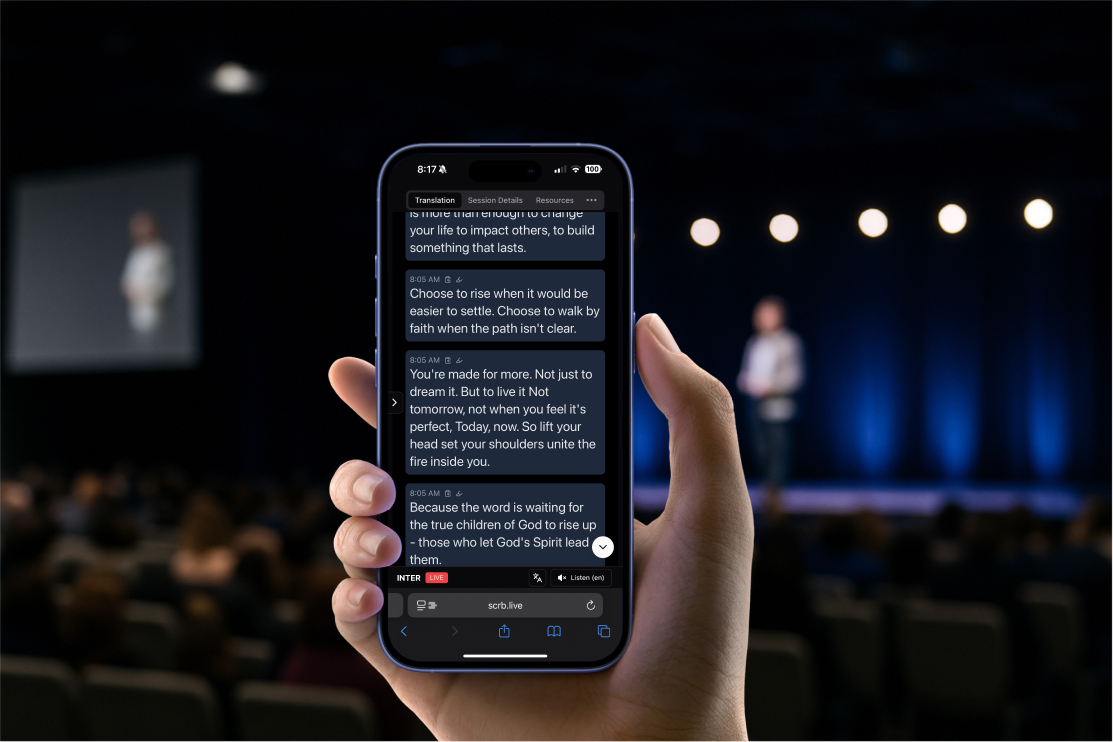
Training tip: for your first rollout, use Streamer or Desktop Agent, run one rehearsal, then go live.
Define your rollout scope
Pick your first event type, target languages, and clear owners.
Configure your live workflow
Connect audio, enable languages, and confirm attendee access links.
Pilot, measure, and scale
Run one pilot, review results, then roll out repeatable templates.
A successful rollout follows one model: clean audio in, multilingual output live, and clear team ownership.
Use browser or desktop workflows for most in-room sessions. Use RTMP, WHIP, or SRT with OBS, vMix, and broadcast encoders.
RTMP for broad encoder and broadcast compatibility.
WHIP for modern low-latency real-time media workflows.
SRT for resilient contribution feeds in pro AV setups.
Web/Desktop capture for simple in-room operations.
Internet: 5+ Mbps stable upload/download
Audio: quality USB mic or mixer output
Monitoring: one owner watching live quality
Audience: QR/link tested on phone and laptop
Create and configure session
Set language, visibility, schedule, and interpretation mode.
Connect a clean audio source
Use Streamer, Desktop, Web, or AV ingress. Better audio means better output.
Activate multilingual delivery
Deliver real-time transcription and translation across attendee languages.
Share attendee access
Share QR code or link so attendees can join instantly on any device.
Monitor live quality
Track captions, language usage, and stream health during the session.
Publish and iterate
Use transcripts and analytics to improve the next event.
A simple launch sequence your team can follow every time, with clear ownership at each stage.
Technical readiness
T-30 min
Owner: AV / Technical lead
Confirm audio source, levels, and network stability. Keep backup input ready.
Experience rehearsal
T-15 min
Owner: Host / Moderator
Run a quick rehearsal, verify captions, and test language switching on phone + laptop.
Live quality control
Go live
Owner: Operations owner
Monitor stream health and attendee language usage. Escalate quickly if quality drops.
Wrap and optimize
Post-event
Owner: Program lead
Review transcript and analytics, capture lessons learned, update your next template.
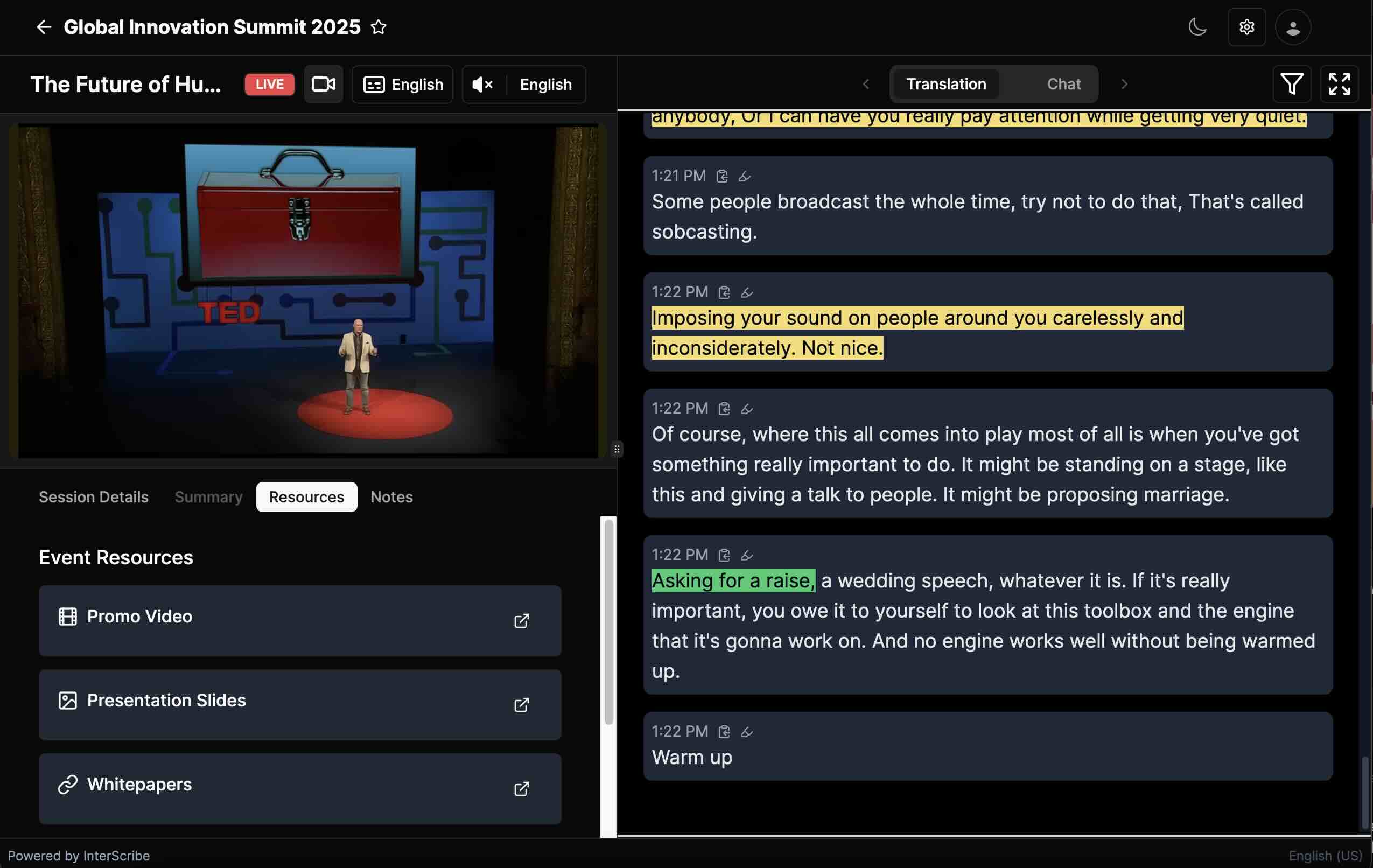
Keep one operator focused on live quality while the moderator focuses on speakers and attendees.
Fast pre-flight rule
Audio check, language check, attendee check. If these 3 are clear, your launch is usually smooth.
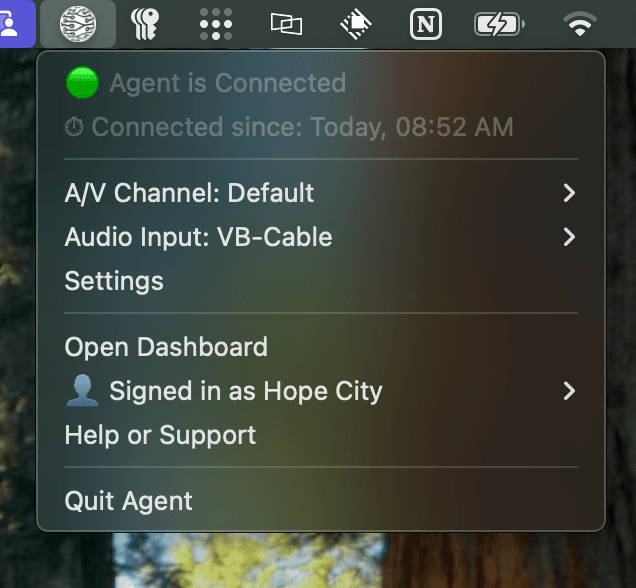
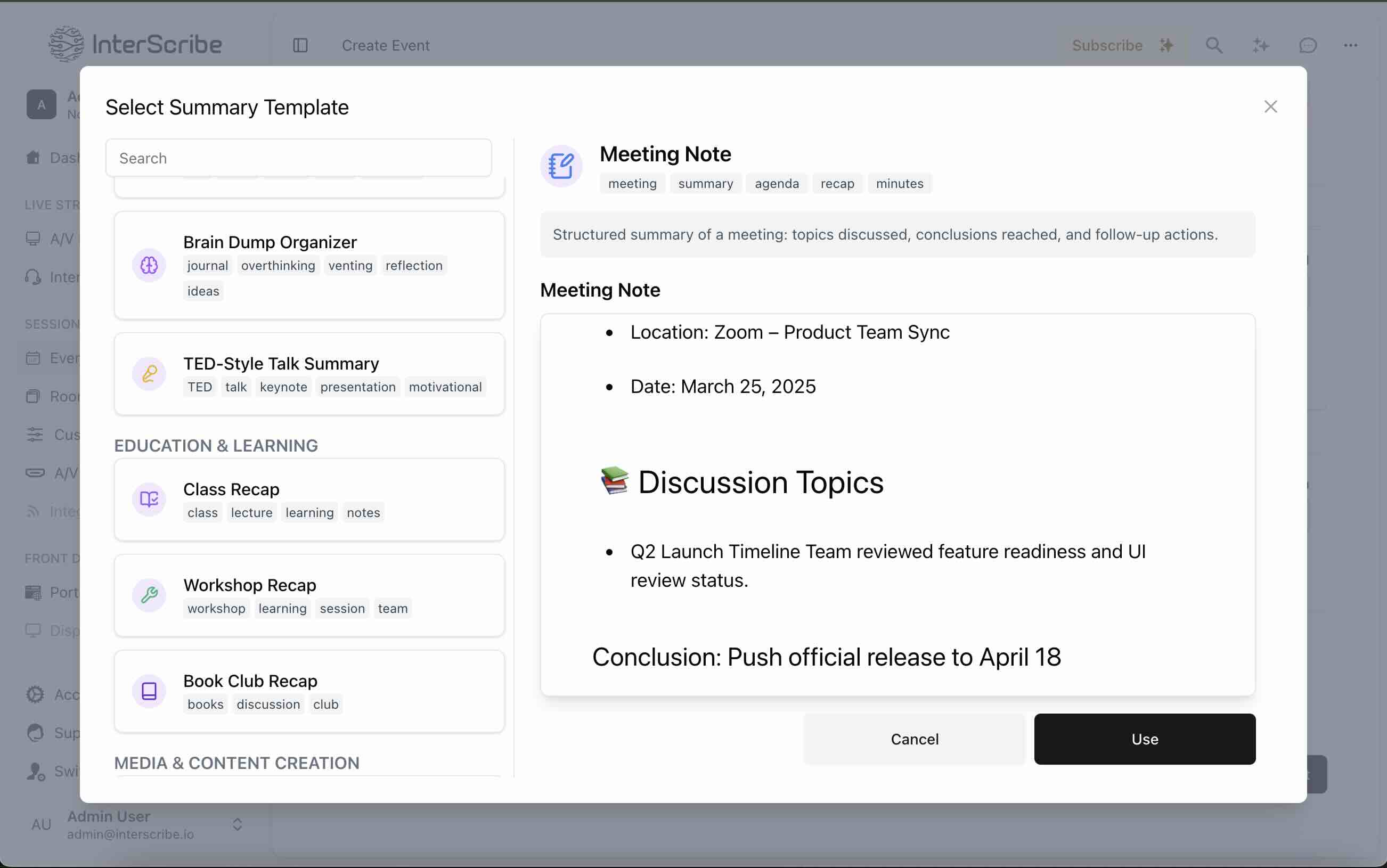
Explore setup guides, AV agent docs, protocol references, and troubleshooting playbooks before your first production event.
Getting Started
First event + platform requirements
Audio & AV Agents
Desktop, Web, Mobile, channel routing
Ingress Protocols
RTMP, WHIP, SRT + encoder integrations
Troubleshooting
Latency, quality, and connectivity fixes
Encuentra respuestas a preguntas comunes sobre InterScribe
Respetamos tu privacidad. Respetamos tu privacidad.
Resumen: Usamos cookies para selección de idioma, tema y analíticas. Aprende más. Resumen: Usamos cookies para selección de idioma, tema y analíticas. Aprende más